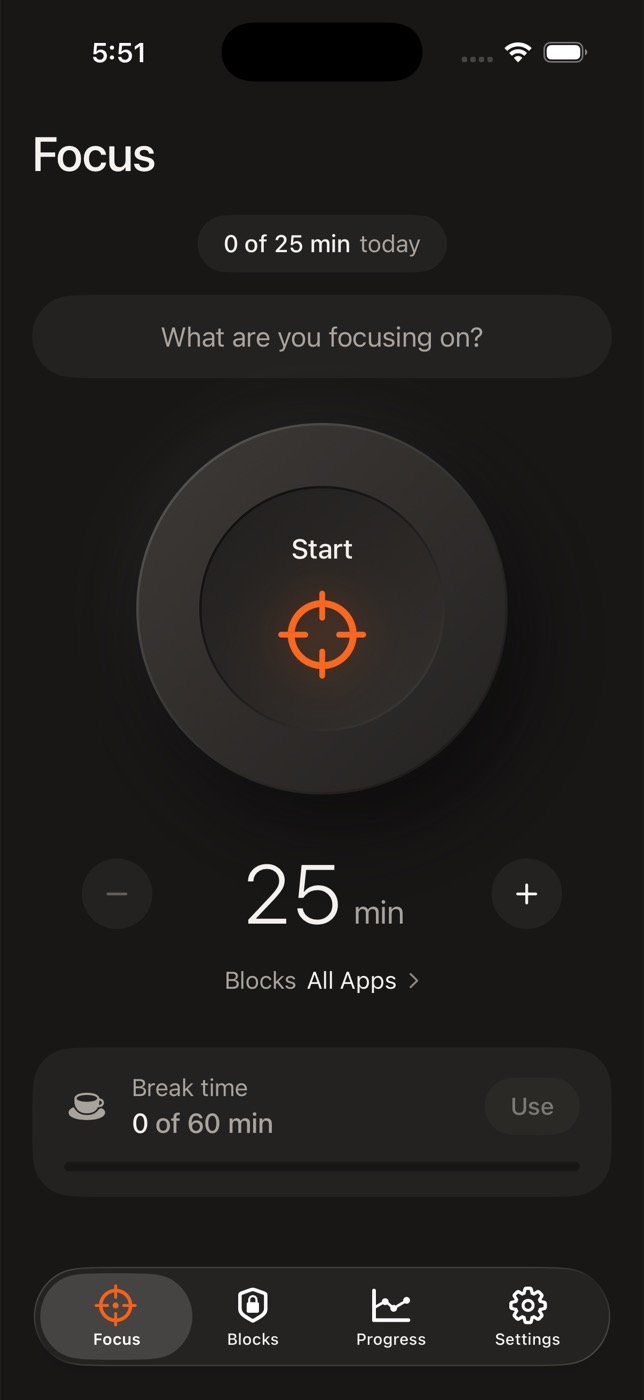
Focus Sessions
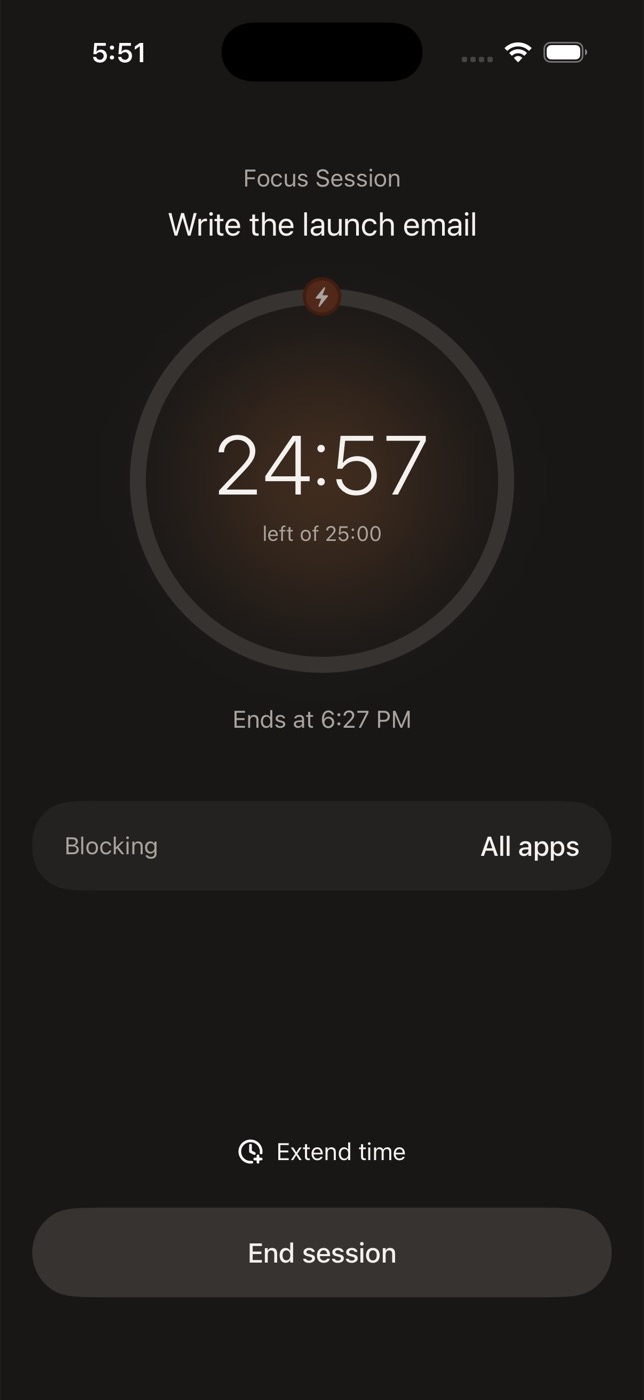
Name the task, set the timer, tap Start. Every distracting app, or just the ones you pick, stays shielded until you're done.
Focus app for iPhone
UNPLG blocks distracting apps with one tap, keeps them locked on a schedule, and gives time back only when you've earned it.
Built on Apple Screen Time. No account. Your data stays on your phone.
Start with whatever fits how you get distracted. Add the rest when you're ready.
Name the task, set the timer, tap Start. Every distracting app, or just the ones you pick, stays shielded until you're done.
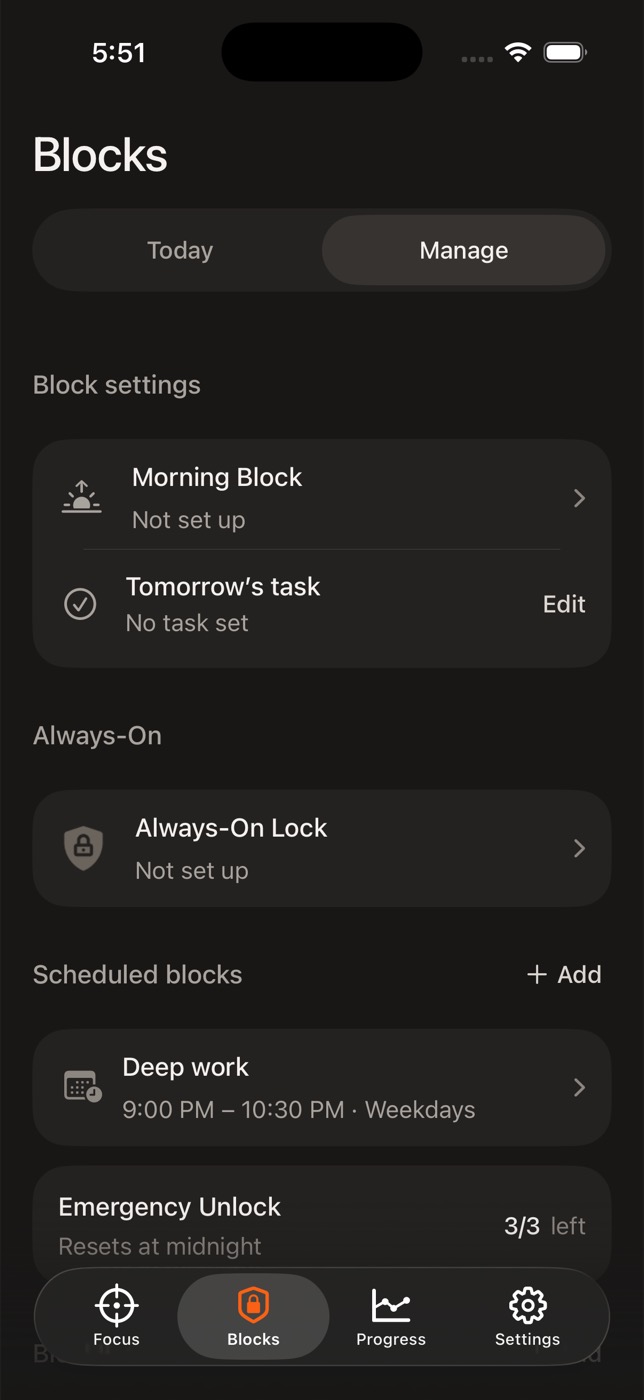
Protect the hours that matter. Work, study, family dinner, wind down. They switch on automatically, every day you choose.
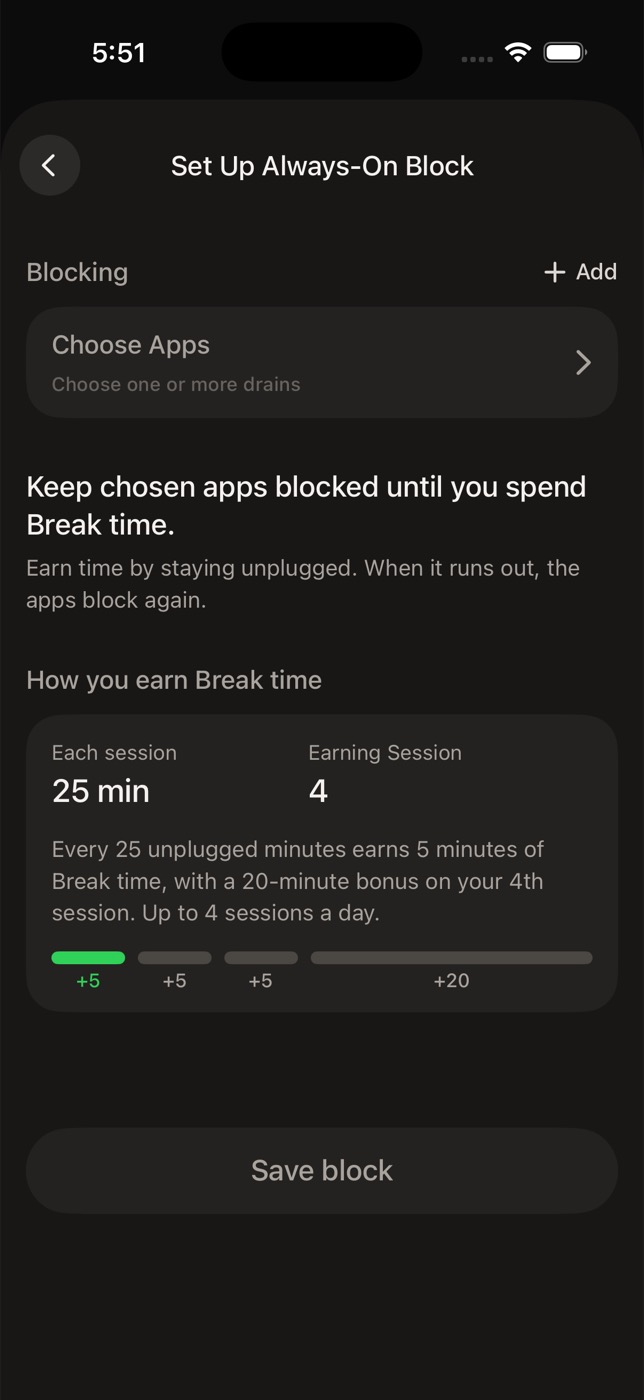
Keep your biggest time sinks locked all the time. They open only when you spend Break Time you earned by focusing.
Focus
Write down what you're working on, pick a length, and start. UNPLG shields the apps you'd normally reach for, shows a calm countdown, and tells you exactly when you're done.
Blocks
Set it once and forget it. Scheduled Blocks turn on by themselves, even when UNPLG is closed. Morning Block keeps your phone quiet until you commit to the first task of the day.
Break Time
Finishing Focus Sessions and Scheduled Blocks earns Break Time. Spend it when you want, and App Lockdown steps aside until it runs out. End early and the rest is saved for later.
Progress
Level up with XP for every focused minute, keep your streak alive, and see focus, protected, and Break Time trends by week, month, and year.
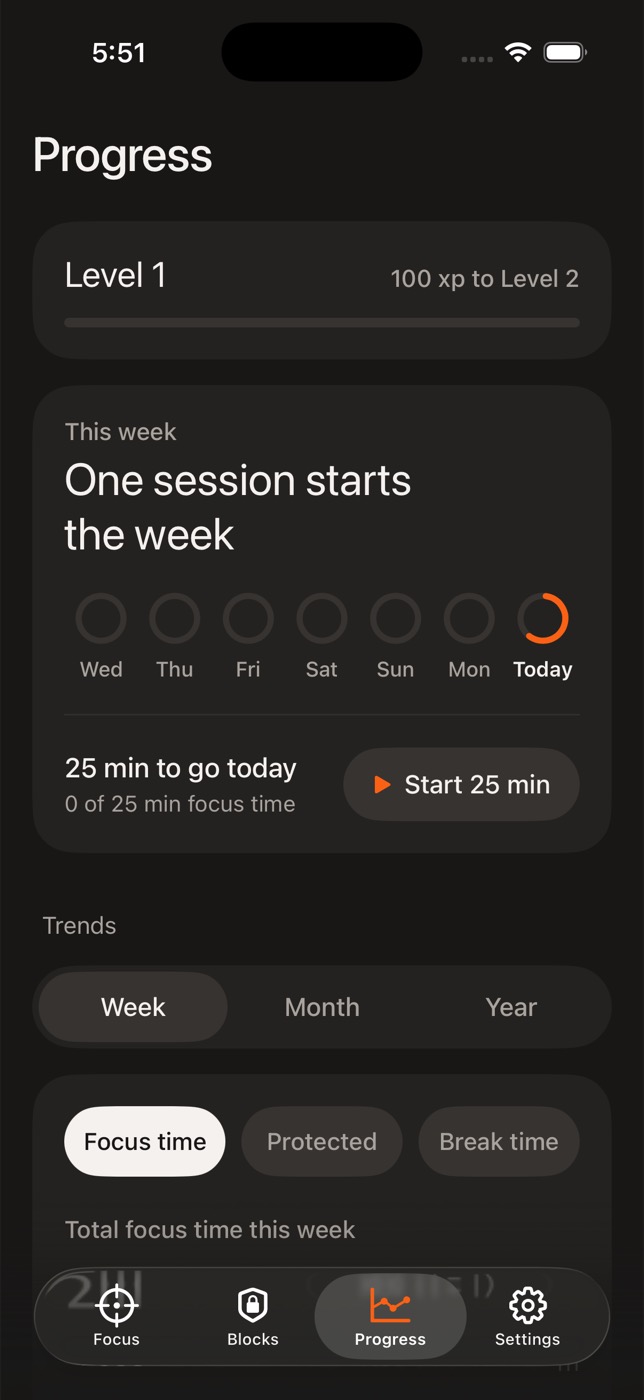
Choose apps, categories and websites with Apple's private Screen Time picker.
Start a Focus Session now, schedule Blocks for later, or lock them down for good.
Get things done, bank Break Time, and use it when it actually feels good.
UNPLG uses Apple's Screen Time frameworks. App choices are private Apple tokens, so we never see which apps you use. No account, no login, and your blocking state and reports stay on your iPhone.
An iPhone running iOS 18.6 or later. During setup you'll grant Screen Time access so UNPLG can block apps on your device.
Yes. Setup includes a two-minute blocking preview so you can feel how it works. After that, UNPLG Pro is a monthly or yearly subscription, with a free trial when the App Store offers one.
You get a small number of Emergency Unlocks each day. They reset at midnight. Or spend Break Time you've earned.
No. Apple hands UNPLG anonymous tokens instead of app names, and Screen Time reports are rendered on device. We collect only basic, non-sensitive product analytics.
Yes. You can block web domains alongside apps and whole app categories.
Download UNPLG and start your first Focus Session in under a minute.
Coming soon to the App Store